
AI blog
The client’s blog too, in their own voice.
The AI writes articles for the client’s website in the brand’s voice, cover image included. You get an analysis of each article and, if you like, autopilot mode.
Every client’s social media in one place: AI drafts posts and Reels true to each brand, the client approves from a link, and Kelp Studio publishes to Instagram at the time you choose.
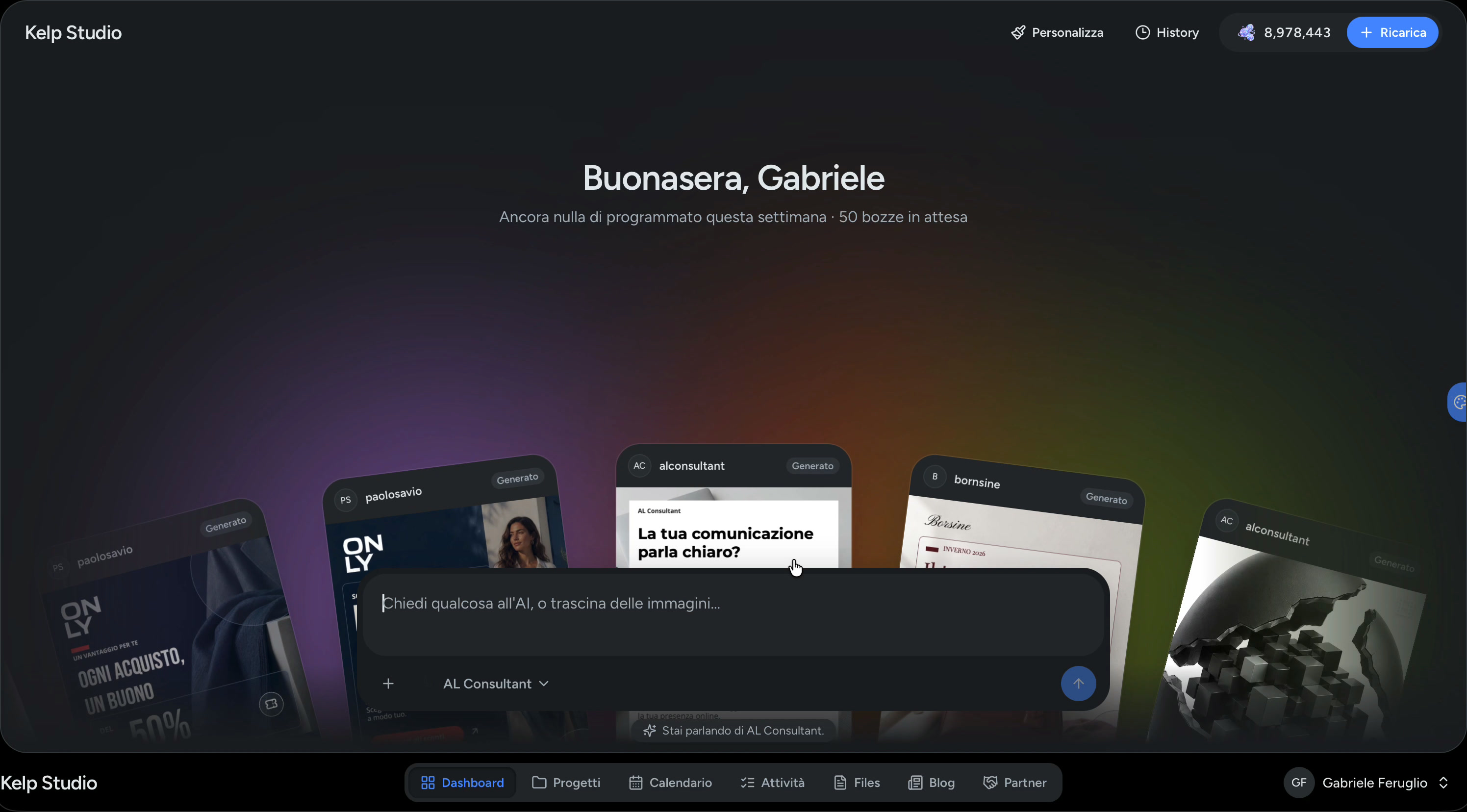
Start with an idea and create content true to each client’s identity.
Bring brands, assets and content together in a dedicated space.
Organize your editorial plan and schedule publishing.
Find your generated content and keep developing your ideas.
Brand, content, calendar and approvals live together. The AI works for the client’s brand, and you stay in control.
The client hands you the brand, you create and get content approved in Kelp Studio, and the post goes out on their Instagram at the time you chose.
The AI analyses the brand to work out its voice, colours and style, and can also generate a logo. You confirm and adjust.
Invite designers, copywriters or colleagues only to the projects they work on.
Connect the account with Instagram’s official login, or send the client a link so they connect it themselves, without signing up.
Upload the client’s images and search stock photos, all in the same place.
Each client’s results, in their project.
“These images are for the next posts for…”: talk to the AI inside the project and turn any reply into a draft straight away.
The AI writes in the language chosen for each client.
Keep the editorial calendar, deadlines and every client in sync.
One calendar for all your clients, tasks to tick off and an AI-suggested editorial plan you review before confirming it.
Learn moreTurn a prompt, image or brief into content that stays true to each brand.
Copy, captions and layered designs that match the client’s voice, colours and style. Then fine-tune everything in the editor.
Learn morePrepare every post in one place, ready for the right moment.
The client signs off from a link, you pick the time and the post goes out on Instagram on its own.
Learn moreSign in with Instagram’s official login, or send the client a link so they can connect it themselves, without signing up.
It analyses the brand to work out its voice, colours and style, and can suggest a logo. You confirm and adjust.
Drafts with copy, captions and design, videos up to 60 seconds and an editorial plan to review before you confirm it.
Send a link: the client approves or pins a note on the image. Then the post is published at the time you chose.
Send the post link. The client opens it on their phone and approves it, or taps the image to pin a note exactly where something should change. You find it all in the project, next to the post.
Kelp Studio doesn’t write generic posts. First it studies each client’s brand, then it proposes an identity that you confirm and correct. From then on, every draft starts there.
It reads the client’s website (logo, exact colours, fonts), their Instagram profile and the notes you write about the business.
Description, audience, tone of voice, values, a five-colour palette and two fonts. If there’s no logo, it can generate one.
Review the identity step by step and change whatever doesn’t fit. You can edit it or run the analysis again whenever you like.
The AI works from the identity you confirmed: if the brand changes, you update it and the next drafts follow the new one.
The AI lays out the draft like an art director: clear hierarchy, clean margins, the brand’s colours and fonts. Then you refine it layer by layer, or open it in Canva.
Text, shapes, icons and images on layers, with background and overlay kept apart.
Designed as one story to swipe, with elements that run on from one slide to the next.
A stock photo, a generated image or one of the client’s photos, with colour variations in one click.
Drag guides out of the rulers; blocks snap to the edges and the centre.
Every starting template uses the client’s colours and fonts.
Open the post in Canva: the final file comes back to the project on its own.
See the post in the client’s Instagram grid, next to the published and scheduled ones.
Describe what you want to tell: the AI prepares the script, voice-over, clips and captions. Then you do the editing, as in a video editor.
9:16 format · up to 60 seconds · undo and redo · final video in MP4
The client’s videos and photos, or free clips from the stock library. Images come to life.
Drag to reorder, pull the edges to trim, pick entrances and transitions.
Pick the voice: change the text and it reads it again, with captions kept in time with its words.
Outlined or on a box, to move and fine-tune on the timeline.
Volume per track, mute, and a small mixer for voice and clips.
Layers to place on the preview and show only when needed.
Create a custom page for your client with their identity and the links that matter. Add it to their Instagram bio and guide profile visitors to their website, a booking or contact details.
The AI writes articles for the client’s website in the brand’s voice, cover image included. You get an analysis of each article and, if you like, autopilot mode.
Every plan includes AI tokens each month. Yearly costs 10 months.

For freelancers with a few accounts.
€29/ month
or €290 a year, 2 months free

For growing studios with steady calendars.
€79/ month
or €790 a year, 2 months free

For agencies running every client in one place.
€199/ month
or €1,990 a year, 2 months free
A project is one client’s Instagram account.
“[TESTIMONIAL TO ADD]”
[FULL NAME][ROLE, AGENCY]
“[TESTIMONIAL TO ADD]”
[FULL NAME][ROLE, AGENCY]
“[TESTIMONIAL TO ADD]”
[FULL NAME][ROLE, AGENCY]
No. You send them a link: they open the post without signing in, approve it or click on the image to pin a note where something should change.
For posts, you decide. The AI prepares drafts, you edit them, get them approved and choose when they go out. For the blog you can turn on autopilot mode.
The language you choose for each project. You can run one client in Italian and another in English from the same account.
With Instagram’s official login. If you don’t have their credentials, send the client a link and they connect it themselves, without signing up.
They are how you pay for the AI. Every plan includes a monthly allowance and you can top up whenever you like. The pricing page has a concrete example.